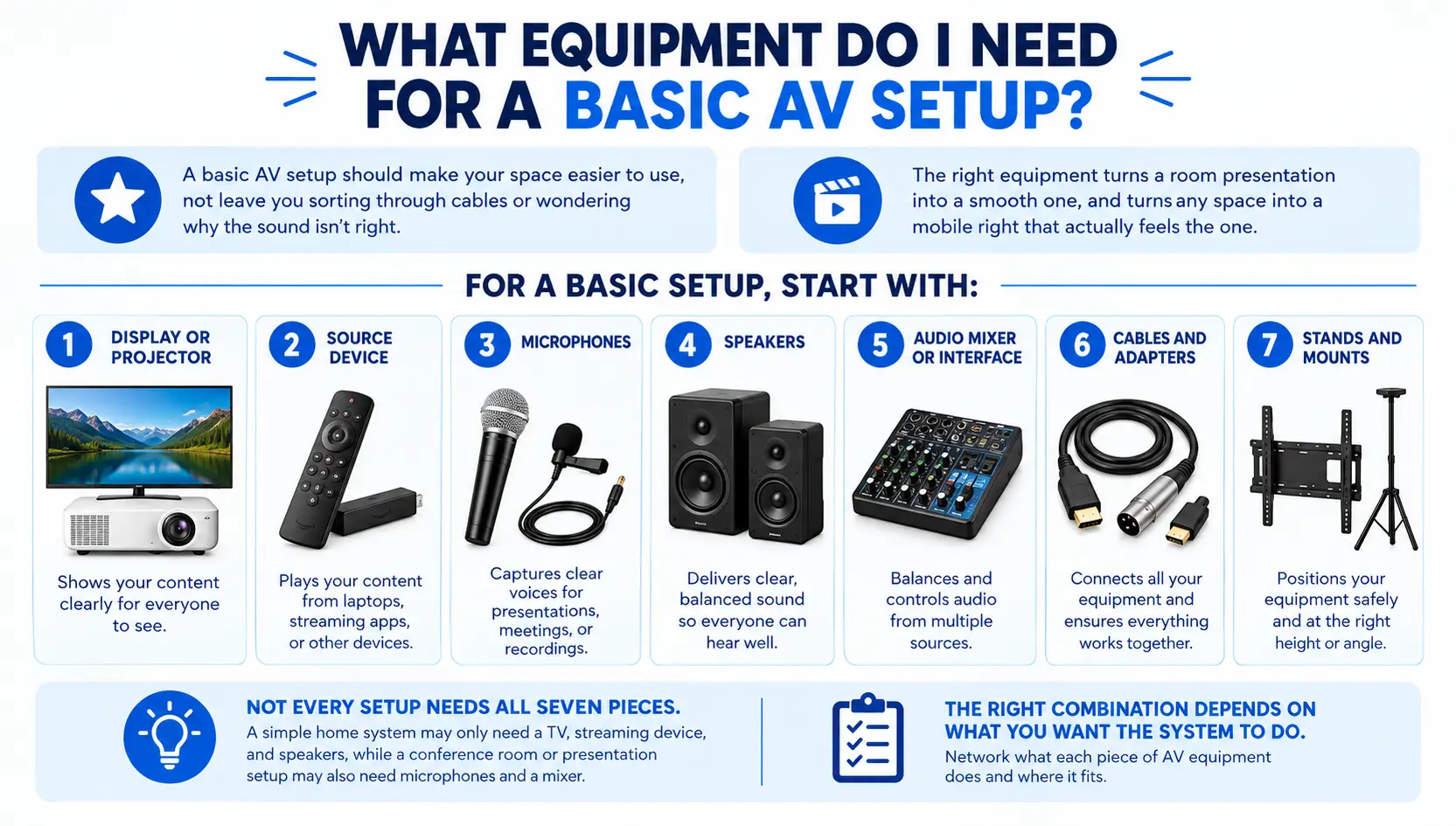
A basic AV setup should make your space easier to use, not leave you sorting through cables or wondering why the sound isn’t right.
The right equipment turns a rushed presentation into a smooth one, and turns any night into a movie night that actually feels like one.
For a basic setup, start with:
- Display or projector
- Source device
- Microphones
- Speakers
- Audio mixer or interface
- Cables and adapters
- Stands and mounts
Not every setup needs all seven pieces. A simple home system may only need a TV, streaming device, and speakers, while a conference room or presentation setup may also need microphones and a mixer. The right combination depends on what you want the system to do.
Here’s what each piece of A/V equipment does and where it fits.
Also Read:
TV Wall Mounting Done Right: Why Professional Installation Is Worth It
What is audio-visual equipment?
In simple terms, AV equipment, or audio-visual equipment, is a connected system consisting of devices used to capture, process, transmit, or present sound and images.
It includes audio equipment such as speakers, microphones, and amplifiers, along with video equipment such as TVs, projectors, and cameras.
Two examples show the range:
- Basic: A TV and a soundbar
- Complex: A boardroom with a projector, ceiling microphones, speakers, and a control panel
Both are AV systems; the difference is what the space needs them to do.
That distinction matters when choosing equipment. Instead of shopping for individual devices, make sure the pieces work together.
The Core Components of a Basic AV Setup
A basic AV system doesn’t need a long equipment list.
A TV and soundbar may be all you need for movie nights, while a conference room may need a projector, microphones, speakers, and an amplifier.
Start with how the space will be used, then choose the audio and visual equipment that supports it.
Video Components: Displays, Projectors, and Screens
This is usually where people start, and for good reason. It’s the part you look at. A TV works well for most rooms, while a projector and screen make more sense for larger spaces or when you want a dedicated theater feel.
In practice, room size and lighting often matter more than personal preference.
When choosing between a TV and projector, consider:
- Room size and viewing distance
- Available wall or screen space
- Ambient light
- Number of people watching
- How the system will be used
The goal isn’t to choose the biggest display you can fit. It’s to choose one that works well for the room and how you plan to use it.
Audio Components: Speakers, Amps, and Microphones
This is where we often see people focus on the speakers and forget about everything that makes them work together.
A soundbar is usually enough for a simple room, but once you move to separate speakers, you may need an amplifier or AV receiver to power them and manage your different sources.
An AV receiver acts as the hub of a larger AV system. It connects your sources, such as a streaming device or game console, to the TV and speakers, and can power speakers in many setups.
People often overlook it because they focus on the TV and speakers, but the receiver is what helps those pieces work together.
Microphones are different. You only need them when the system is being used for presentations, meetings, speaking, or recording. For a basic home theater, they’re not necessary.
Source Devices and Streaming Boxes
This is what feeds content into the system: a streaming box, laptop, gaming console, Blu-ray player, or cable receiver. Without a source device, the display has no video signal to show, and the speakers have no audio signal to play.
One thing we see often is people buying the display and speakers first, then realizing their older devices don’t have the right connections.
Check what you already use before buying new equipment. That simple step can save you from extra adapters, cables, or replacing equipment that still works.
You May Also Like:
Why Your Soundbar Doesn’t Sound Like It Did in the Store
Connection and Support Gear Most Guides Forget
The display and speakers may be the most expensive parts of an AV system, but they aren’t much use if you can’t connect or position them properly. Cables, adapters, stands, and mounts are what turn separate pieces of equipment into a working setup.
Cables and Adapters
The right cable depends on what you’re connecting. Common examples include:
- HDMI cables for sending video and audio between devices
- XLR cables for microphones and professional audio equipment
- USB cables for computers, microphones, and other devices
- Display adapters or dongles when a laptop doesn’t have the right video connection
We’ve seen projects where the main equipment was ready to go, only to find that a laptop, display, or older device needed a different connection. Checking those connections before installation can save a last-minute trip for an adapter.
Stands and Mounts
Mounting hardware affects more than appearance. A TV mount needs to support the display safely, while a projector, camera, or microphone needs stable positioning to work properly.
For example, a microphone on an unstable stand can move during a presentation, while a poorly positioned display can create viewing problems even when the screen itself is excellent.
These aren’t expensive extras to add at the end. They are part of planning the AV system from the start.
How Equipment Needs Change by Use Case
There isn’t one basic AV setup that works for every space. A system that works perfectly for movie night may be a poor fit for a classroom or meeting room.
The equipment needs to match the room, the number of people using it, and what they need to accomplish.
Home Theater and Media Room Setups
For a home theater, the focus is usually on picture quality, sound, and simple control. A TV or projector, streaming device, speakers, and an AV receiver may be enough for a more complete setup.
Room layout matters here. Speaker placement, viewing distance, lighting, and where equipment is mounted can affect the experience just as much as the equipment itself.
That’s where professional home theater services can be useful, especially for dedicated rooms.
Classroom and School AV Needs
A classroom needs to make content easy for everyone to see and hear. That may mean a projector or large display, a computer or laptop connection, speakers, and sometimes a microphone.
The setup also needs to be simple enough for teachers to use without spending several minutes figuring out which input or cable to select.
Business Meeting and Conference Room AV
A meeting room has different priorities. People need to share presentations, join video calls, hear remote participants, and switch between sources without interrupting the meeting.
A typical setup may include a display, laptop connection, camera, microphones, speakers, and a control system.
One-Time Events and Community Gatherings
A temporary event doesn’t need the same infrastructure as a permanent installation. A community group may only need a projector, laptop, speakers, microphones, stands, and the right cables for a single presentation.
The mistake is assuming that more equipment means a better setup.
The right equipment in the wrong space can create more problems than it solves. Start with how the system will be used, then build around that need.
Read Also:
How Much Does It Cost to Install a Security Camera?
Room Planning: What to Check Before You Buy Anything
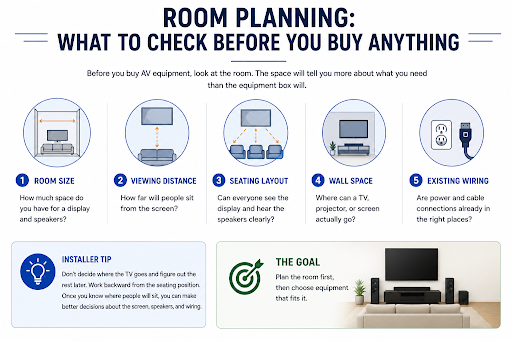
Before you spend money on AV equipment, spend a few minutes looking at the room. The space will tell you more about what you need than the equipment box will.
Start with five things:
- Room size: How much space do you have for a display and speakers?
- Viewing distance: How far will people sit from the screen?
- Seating layout: Can everyone see the display and hear the speakers clearly?
- Wall space: Where can a TV, projector, or screen actually go?
- Existing wiring: Are power and cable connections already in the right places?
For example, a rectangular living room gives you more predictable speaker locations. An open-concept room may need a different approach because furniture, walls, and other areas can limit placement.
A quick installer tip: Don’t decide where the TV goes and figure out the rest later. Work backward from the seating position. Once you know where people will sit, you can make better decisions about the screen, speakers, and wiring.
A room can also make good speakers sound bad.
Hard floors, bare walls, large windows, and high ceilings can bounce sound around and make dialogue harder to understand. Sofas, curtains, rugs, and other soft surfaces can help absorb some of those reflections.
You don’t always need acoustic panels or major room changes. Moving a speaker a few feet or changing its angle can sometimes make a bigger difference than buying a more expensive speaker.
The goal is simple: plan the room first, then choose equipment that fits it.
The Network Behind Your AV System
Streaming, smart TV apps, wireless speakers, and multi-device control all rely on a stable connection.
This becomes more important as you add equipment. A home with several TVs, cameras, gaming systems, smart devices, and other connected equipment puts more demand on the network.
Wi-Fi is convenient and works well for many devices, but a wired Ethernet connection can provide a more consistent connection for equipment that stays in one place.
For larger setups, professional network installation services can help build the network around the equipment instead of making the equipment work around a weak connection.
The same network may also carry security cameras and other smart-home equipment, so planning the infrastructure properly can benefit more than just your AV system.
Also read: Network Setup and Maintenance
When to Call a Professional Installer
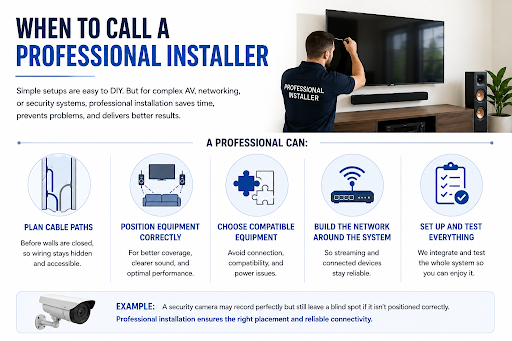
If you’re connecting a TV, streaming device, and soundbar, you can probably handle the setup yourself. But once you’re running cables through walls, connecting several rooms, or combining AV with networking and security, professional installation starts to make more sense.
A professional can:
- Plan cable paths before walls are closed, so wiring stays hidden and accessible.
- Position speakers, displays, and cameras correctly for better coverage and performance.
- Choose compatible equipment instead of discovering connection or power problems during installation.
- Build the network around the AV system so streaming and connected devices have a reliable connection.
- Set up and test the entire system together, rather than leaving you to troubleshoot each component separately.
For example, a security camera may record perfectly but still leave a blind spot if it isn’t positioned correctly. Best security camera installation services can address both placement and connectivity.
Building an AV System That Actually Fits Your Space
The best AV setup isn’t the one with the most equipment; it’s the one that matches how you’ll actually use the room.
Start with your space and your goals, choose components that work together, and add professional help where wiring, networking, or placement gets complex.
Get that right, and the equipment fades into the background, leaving you with a system that just works.
Frequently Asked Questions
Q1. What’s the minimum equipment for a basic AV setup?
A display, a source device, and speakers. Everything else depends on how you’ll use the room.
Q2. Do I need an AV receiver if I already have a soundbar?
No, a soundbar works on its own. A receiver is only needed once you move to separate speakers.
Q3. Can I set up a basic AV system myself?
Yes, a simple TV, streaming device, and speaker setup is usually manageable without professional help.
Q4. Does my home Wi-Fi work for streaming and smart AV devices?
Often, but a wired connection is more reliable once you add multiple devices or rooms.
Q5. When should microphones be part of a basic setup?
Only if you’re using the space for presentations, meetings, or recording, not for a standard home theater.