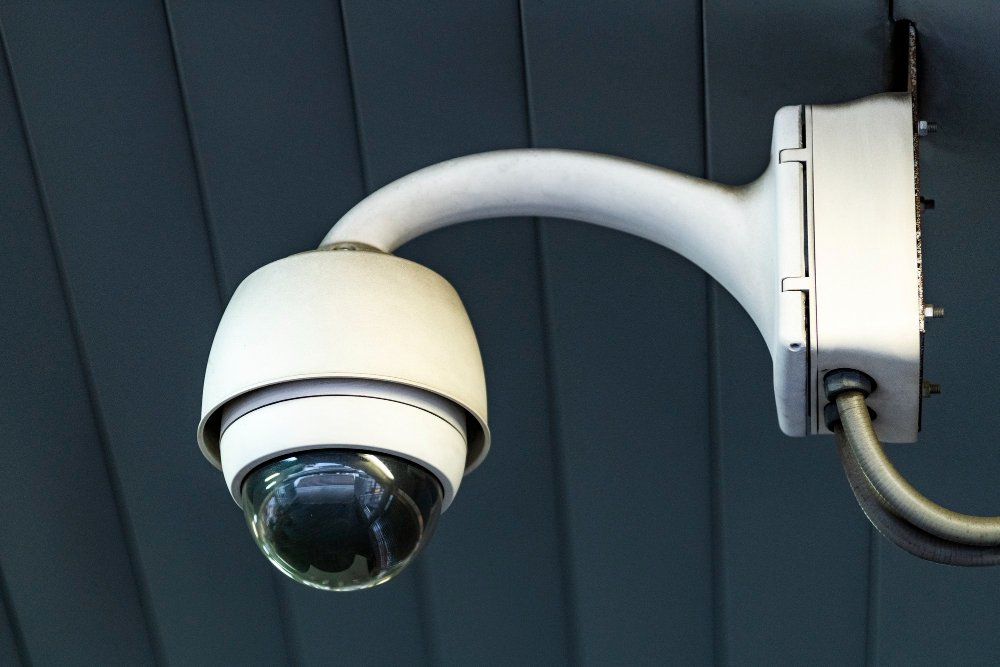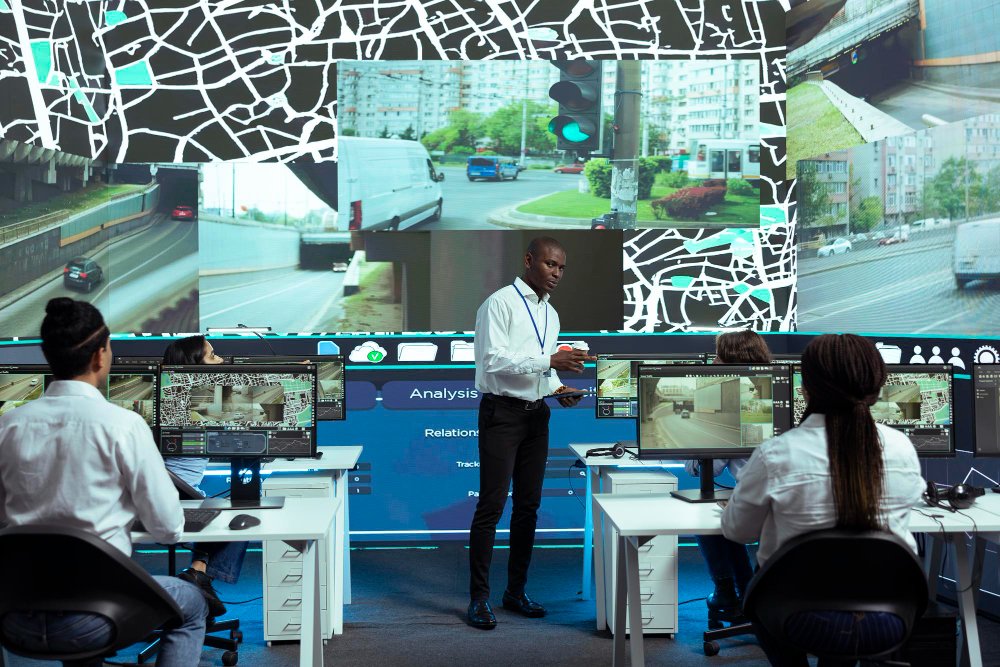
Artificial Intelligence in security and surveillance is changing the way people protect their homes and businesses. Security cameras are becoming smarter, with some systems that can identify people, vehicles, and unusual activity while reducing unnecessary alerts. This allows security teams to spend less time checking false alarms and more time focusing on real security concerns.
You can easily spot important events without watching hours of recordings. But AI cameras are not perfect, so you still need to check them properly. In this guide, we’ll explain what AI in security and surveillance is, how it works, where it is used, and what to consider before adding it to your property.
What Is AI Surveillance?
AI in security and surveillance uses artificial intelligence to analyze video footage and identify people, vehicles, objects, and certain activities. Instead of recording everything, it focuses on specific things and can notify you when it detects them.
For example, a traditional camera might record a person walking into a warehouse after closing time. You have to watch the recording to find out what happened. But with an AI system, you get an alert when someone enters a restricted area after business hours.
Some cameras have built-in AI features that can identify anything without needing a separate system to do the analysis, while several cameras send footage to separate AI software that does the analysis and identifies important activity.
You can also choose the camera and software specifically for the feature you want. Some systems only recognize people and vehicles, while others offer features such as license plate recognition, facial recognition, or people counting.
How AI-Powered Surveillance Systems Work
AI-powered surveillance could sound complicated; its process has a few simple steps. The camera captures footage, the system analyzes it, and then you will receive an alert if something looks suspicious.
Here is how it usually works.
- The camera records footage: Cameras capture video of entrances, hallways, parking areas, or other locations you want to monitor.
- AI analyzes the footage: The system looks for people, vehicles, animals, packages, or other objects and tries to recognize any unusual activity.
- The system identifies relevant activity: It checks for only the activity that needs immediate action, such as someone entering a restricted area or a vehicle arriving after hours.
- You receive an alert: If the system detects a defined event, it sends a notification to a phone, computer, or monitoring station.
- You can find footage more easily: Depending on the system, you can easily search recordings using time, date, camera, object, or type of event instead of watching hours of video.
Use AI Cameras for Motion Detection and Intelligent Video Analytics
Basic motion detection responds whenever something moves in the camera’s view. A moving tree branch, passing car, or change in lighting triggers an alert, even if there is no real security concern. But AI video analytics not only detects movement, but it can also identify if the movement is of a person, vehicle, or another object, so that the person doesn’t get unnecessary notifications.
For example, if a camera covers a business entrance, you may want alerts when someone arrives at the door after closing time, rather than every time a vehicle passes on the road. AI cameras can make mistakes, so you should always review important notifications and consider what is happening before taking any actions.
AI Surveillance Technology: Key Capabilities
An AI-driven surveillance system has several features, but not every camera includes all of them. Here are some common capabilities and what they mean in everyday use:
- Person and vehicle detection: Identifies people and vehicles in the camera’s view, helping separate unusual activity from general movement.
- Motion and behavior detection: Detects certain activities, such as someone entering a restricted area, crossing a boundary, or remaining in one place longer than expected.
- Real-time alerts: Sends notifications when a camera detects an event that matches your chosen settings.
- Video search: Helps you find recordings of a person, vehicle, or event without reviewing the whole footage.
- Facial recognition: Attempts to match a face with a stored image or approved list. Storing people’s facial data can raise privacy concerns and sometimes it can identify the wrong person. So, its usage is restricted by law in certain places or situations.
- License plate recognition: Reads vehicle registration plates in suitable conditions. It can help manage parking areas, vehicle entrances, and gated properties.
- People counting and heatmaps: Estimates how many people visit an area and where they are spending their time. Businesses can use this information to see how many people visit and which areas they use most.
- Audio analytics: Some systems can identify several sounds, such as glass breaking or an alarm, when supported microphones and software are available.
- Access-control integration: Connects security cameras with door locks and access cards to help monitor and manage who enters a building.
The uses of the feature depend on the camera’s image quality, lighting, placement, software, and configuration. A feature listed on a product page will not necessarily perform equally well in every location.
Where Are AI Surveillance Systems Used?
AI surveillance systems can be used in homes, businesses, public spaces, and properties where people need to monitor activity across multiple areas.
Commercial and Business Security
- Retail stores can use AI cameras to monitor entrances, understand customer movement, and identify activity that requires immediate staff attention. People-counting tools help businesses to see when they get the most visitors so they can schedule enough staff.
- Offices and commercial buildings can use AI surveillance to monitor entrances, parking areas, and restricted spaces after business hours. In warehouses, cameras can help identify movement near loading docks, vehicle activity, or entry into designated areas.
- Schools, healthcare facilities, hotels, and apartment buildings also use these systems to monitor restricted areas and review footage when an incident occurs. Security cameras can help improve safety, but staff members are still needed to make decisions and follow proper safety procedures.
Residential and Smart-Home Security
- Homeowners can use AI-powered doorbells and outdoor cameras to receive alerts when someone arrives at the front door or a vehicle enters the driveway. These features can be more useful than receiving a notification every time something moves in front of the camera.
- A reliable connection is important when several cameras send footage over the same network. If the network cannot handle the amount of data, some video feeds may lag or lose connection. Home network installation can help ensure that all connected devices have a proper connection to work smoothly.
Public Spaces and Community Security
Cities and public agencies use AI surveillance to monitor traffic, manage crowds, and support public safety. For example, cameras at public transport stations can help identify unusually large crowds on platforms, allowing staff to quickly take action before the area becomes too crowded.
However, public surveillance also raises concerns about privacy, facial recognition, and how information about people’s movements is collected and used.
What Are the Benefits of AI-Based Surveillance Systems?
AI-based surveillance systems can make security footage easier to manage, when a property has several cameras or long operating hours.
Key benefits include:
- Fewer unnecessary alerts: Person and vehicle detection can help filter out some irrelevant movement, such as moving branches or a car passing.
- Faster response: Alerts can notify staff about certain events while they are happening, rather than someone having to find them in a recording later.
- Quicker investigations: Search tools can make it easier to find footage from a particular time, camera, or type of event.
- Better coverage of important areas: Specific rules can be set for entrances, parking areas, loading docks, and other locations where you want closer attention.
- Useful business information: People-counting and occupancy features can help businesses to understand how spaces are being used.
- Room to expand: Some systems can support additional cameras or locations as a property grows, provided the network, storage, and software can handle the extra demand.
These benefits depend on how the system is installed and configured. AI does not guarantee that every incident will be detected or prevented. It also cannot reliably tell the intention of the person from video alone.
Human review is still important before taking any action when the situation could affect someone’s job or make someone look guilty.
What Are the Risks and Privacy Concerns of AI Surveillance?
AI surveillance can make monitoring easier, but it can also collect unnecessary information that a property owner doesn’t need. Facial recognition and behavior analysis raise particular concerns because they are being used to identify people or track patterns in their movements.
AI systems can also make mistakes, and results can be affected by lighting, camera angle, image quality, and the software being used.
There are practical steps property owners can take to use surveillance more responsibly:
- Set a clear purpose: Decide which areas need monitoring and what the cameras are expected to help with.
- Limit camera coverage: Avoid recording private areas where monitoring is unnecessary.
- Control access to footage: Give access only to people who need it, and protect accounts with strong passwords and appropriate security settings.
- Set a retention period: Decide how long recordings need to be kept and delete them when they are no longer required.
- Be careful with facial recognition: Use biometric identification only when there is a clear, appropriate reason and applicable laws allow it.
- Keep people involved: Review important alerts before taking action, rather than treating an AI result as proof of an incident.
- Check local requirements: Rules for recording, signage, employee monitoring, audio capture, and biometric information can vary by location and situation.
What Do You Need Before Installing AI Surveillance?
Choosing AI cameras is only one part of setting up a useful surveillance system. The cameras also need to cover the right areas, connect reliably, store footage appropriately, and send alerts that make sense for your property.
1. Cameras and Coverage
Start by identifying the areas you want to monitor. These might include entrances, exits, parking lots, loading docks, reception areas, or places where valuable equipment is stored.
A camera designed for a wide area may not provide enough detail to read a license plate at a distance. What the system identifies can be affected by poor lighting, glare, and obstructions, so the type of camera and its placement play an important role.
Think about what you need to see before deciding which cameras to buy.
2. Network and Bandwidth
AI cameras need a reliable connection to send video, communicate with recording equipment, and deliver remote alerts. Multiple high-resolution cameras can place a significant demand on a network.
Depending on the system, you will need wired network connections, Power over Ethernet (PoE) equipment, suitable Wi-Fi coverage, or a combination of these. Remote viewing and cloud recording can add further demands.
A planned network setup helps to prevent connection problems and makes it easier to add devices later. This is especially important when security cameras are connected to other smart devices.
3. Storage and Recording
You will also need to decide where the footage will be stored. Some systems use a local network video recorder (NVR), while others store recordings in the cloud. Hybrid setups can use both.
Consider how many cameras you have, how much footage they record, how long you need to keep it, and who should be able to access it. Cloud storage also depends on a suitable internet connection, while local storage needs enough capacity and appropriate protection.
4. Professional Installation and Integration
Proper installation helps to ensure that cameras cover the intended areas and that the system’s alerts, recording, and network connections work as expected. Professional video surveillance installation can help with camera placement, system configuration, storage planning, and integration with existing equipment.
Businesses that want surveillance to work with displays, intercoms, paging, or other audiovisual equipment could also need commercial audiovisual installation. At home, surveillance may be part of a wider technology project that includes networking, smart-home devices, and a home theater installation.
The important point is to plan the whole setup, rather than choosing cameras first and trying to solve connection or coverage problems afterward.
Is AI Surveillance Right for Your Property?
AI surveillance could be useful if you manage a large property, need to monitor several entrances, or want to find important footage without reviewing hours of recordings. A smaller property may only need basic person detection and a few well-placed cameras.
Before deciding, consider your security needs, existing network, storage requirements, budget, privacy responsibilities, and the features you will actually use. More advanced technology is not automatically the right choice for every property.
Final Thoughts
AI-powered surveillance can help identify certain events, send timely alerts, and make it easier to find important footage. However, its use depends on choosing suitable equipment, setting it up correctly, and using it responsibly.
Before investing in an AI-based surveillance system, consider what you need to monitor and how the cameras will fit into your existing network and security setup. R&N Technical can help you plan a practical video surveillance installation for your home or business, with the right coverage, connections, and features for your needs.
Frequently Asked Questions
Q1. What is AI surveillance?
AI surveillance uses artificial intelligence to analyze camera footage and identify people, vehicles, objects, or certain activities. Depending on the system, it can send alerts and make recorded footage easier to search.
Q2. How do AI surveillance systems work?
AI-driven surveillance systems analyze video captured by cameras and look for events that match predefined rules. If the system detects something relevant, it may send an alert and save searchable footage for later review.
Q3. What is the difference between AI surveillance and regular CCTV?
Regular CCTV mainly records footage for live viewing or later review. AI surveillance can also analyze the footage, recognize certain objects or activities, and notify users when a configured event occurs.
Q4. Is AI surveillance legal?
AI surveillance laws vary depending on where you live, what you record, and how the information is used. Property owners should check applicable privacy rules, provide notices where required, and take particular care with facial recognition and audio recording.